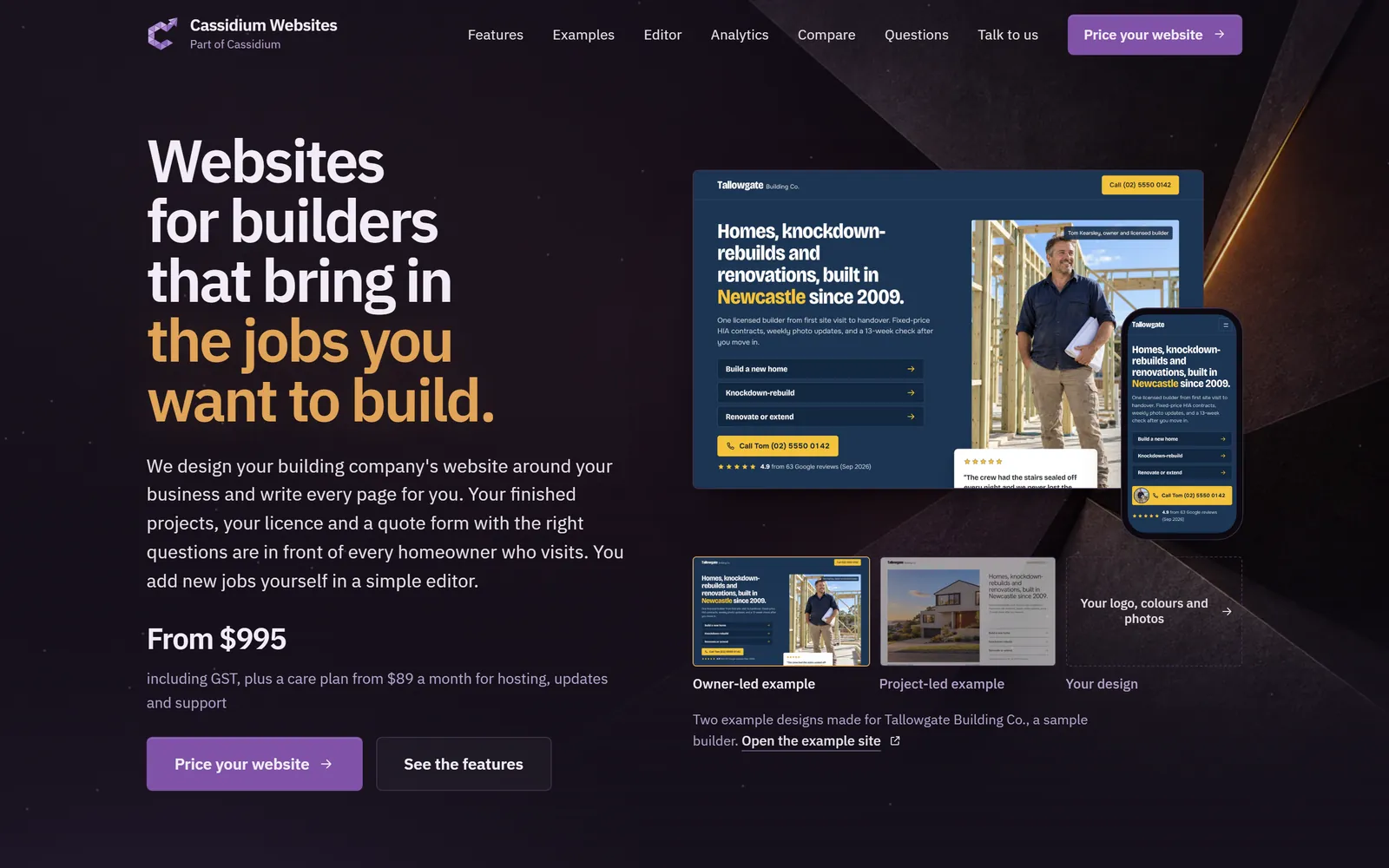
Websites for builders that bring in the jobs you want to build.
We design your building company's website around your business and write every page for you. Your finished projects, your licence and a quote form with the right questions are in front of every homeowner who visits. You add new jobs yourself in a simple editor.
From $995including GST, plus a care plan from $89 a month for hosting, updates and support
Two example designs made for Tallowgate Building Co., a sample builder. Open the example site
Homeowners check your website before they ring you.
They look for finished work like theirs, your licence and some idea of cost. With an old Wix page or an Instagram link they are left guessing, so many of the enquiries that do come in are for budgets, suburbs or jobs you don't take on. Fixing it yourself means nights and weekends learning website software.
Most builder websites go live about a week after the first call.
There is one short brief at the start and one review before launch. Send us photos of your finished jobs and your licence and membership details. They are already on the site the first time you see it.
Tell us about your business
First call
On a short call or through the guided questions, tell us the work you do and the jobs you want more of. Send us your current site if you have one.
We design and write the site
First week
We design it around your logo and colours and write every page. Your services, completed projects, licence details and photos go in at the same time.
You review a working site
Before launch
Click through it on your phone, ask for changes, then approve the launch.
We keep it running
After launch
Your care plan covers hosting, updates, backups and a report on how the site is doing every 3 or 6 months.
What homeowners check before they call a builder, built into your site.
We pick the pages and sections that suit the jobs you go after, then fill them with your own jobs, photos and details. Each picture shows one on our sample builder site. A page for each project, service, area and sector, plus a full reviews page, comes with the larger website. On the standard website, services and projects sit on one page each.
A home page built to turn visitors into enquiries
Lead with your own photo or your best finished home, then send each visitor to the right quote form. Your phone number stays one tap away on every screen.
An opening section led by you or by your finished work
Buttons for each type of job, each opening its own quote form
Featured projects, reviews and your credentials
Move, hide or add sections yourself in the editor
Quote forms built around each type of job
A new home, a renovation and a shop fit-out need different questions. Each quote form has the right ones for the job someone chooses, shown a few at a time, so each enquiry reaches your inbox with the job type, suburb, budget band and timing already answered.
Questions that change with the type of job
Short steps instead of one long form
Each job button opens the form with that job already picked
A separate form for commercial enquiries
A thank-you page showing when you will be in touch
Projects that show homeowners jobs like theirs
Every finished job becomes a project people can browse by type of build and suburb. On the larger website each project gets its own page. It covers the brief, the challenges on site, the photos and what the owners said, then ends with a quote form for a similar job.
Filters by type of job and area
Build facts such as size, storeys and build time
A before-and-after photo slider
Jobs still under construction, marked "on site now"
An optional price band, marked as not a quote
Trust details where homeowners look for them
Homeowners check a builder's licence, insurance and memberships before they call. Your site shows them beside the quote buttons and in the footer, with a link to the state register so the licence can be confirmed in a few seconds.
Your licence and licensed name, linked to the state register
Industry memberships and home warranty cover
Awards with the year, category and the job that won
A page explaining home warranty cover in your state
Reviews that link back to the job
Each review shows the client's name and suburb, with where it was posted and when. It links to the project it came from, so people can read what the owners said and then look at the house.
Your Google rating and review count, with the date you last updated them
Featured reviews on any page
A full reviews page, newest first
Add new reviews yourself in the editor
Service pages with honest price guides
Give each type of work its own section or page, whether that is new homes, knockdown-rebuilds, renovations, second storeys or fit-outs. Each one covers the scope, the usual timeline and what drives the cost. It can also show a typical price range with the date you set it.
A page or section for each service
Optional price guides with an "as at" date and a not-a-quote note
A job chooser showing the usual price, build time and first step for each type of job
Related projects and common questions on each service
Your process and payments, set out in full
Show how a build runs with you from the first call to handover, what each stage costs and what the client gets from it. Homeowners who know the steps and the costs come to the first meeting ready to talk about their job.
Stages marked free, paid or included
The deposit and progress payment schedule
Answers to common questions about the process
The commitments you make on every job, in plain words
Area pages for local search
Homeowners search for a builder near them. The larger website can have a page for each area you build in, with your local jobs on it. Every page on either website is set up with the titles and details Google reads.
Area pages, added where you have local work to show
A search title and description for every page, with a preview of how it looks on Google
Hidden details for Google on who you are, where you build and what you have built
Old page addresses redirected, so existing links and bookmarks still work
Commercial pages for fit-outs and refurbishments
If you take on commercial work, add pages for the sectors you build for and a commercial enquiry form. A client can print the capability statement or save it as a two-page PDF for a committee, landlord or property manager.
Sector pages on the larger website, each with its own projects
Insurances, licence and referees in one place
How you work around a business that stays open during the fit-out
A capability statement built from your site's details
A home designs catalogue, if you sell your own plans
Buyers filter your designs by storeys, bedrooms and the width of their block, then see the sizes, floor plans and display home opening hours. Each design links to your quote form with that design already filled in. The catalogue is an add-on we price with you.
Filters by storeys, bedrooms and block width
Sizes and floor plans for each design
Display home address and opening hours
Facades labelled as artist's impressions
Other pages you can add when the business needs them
Each one is set up with your own details. The careers page and the subcontractor form come with the larger website and are add-ons on the standard one.
An about page with your story and your team
Office and contact pages with your hours
A careers page for your current vacancies
A form for subcontractors and suppliers who want to work with you
Guides, such as what a knockdown-rebuild involves
A privacy page and a collection notice on every form
Two example designs, to show the standard of work.
We made up Tallowgate Building Co. to show what a Cassidium builder website looks like. Yours gets its own design, built around your logo, colours, photos and the work you do.
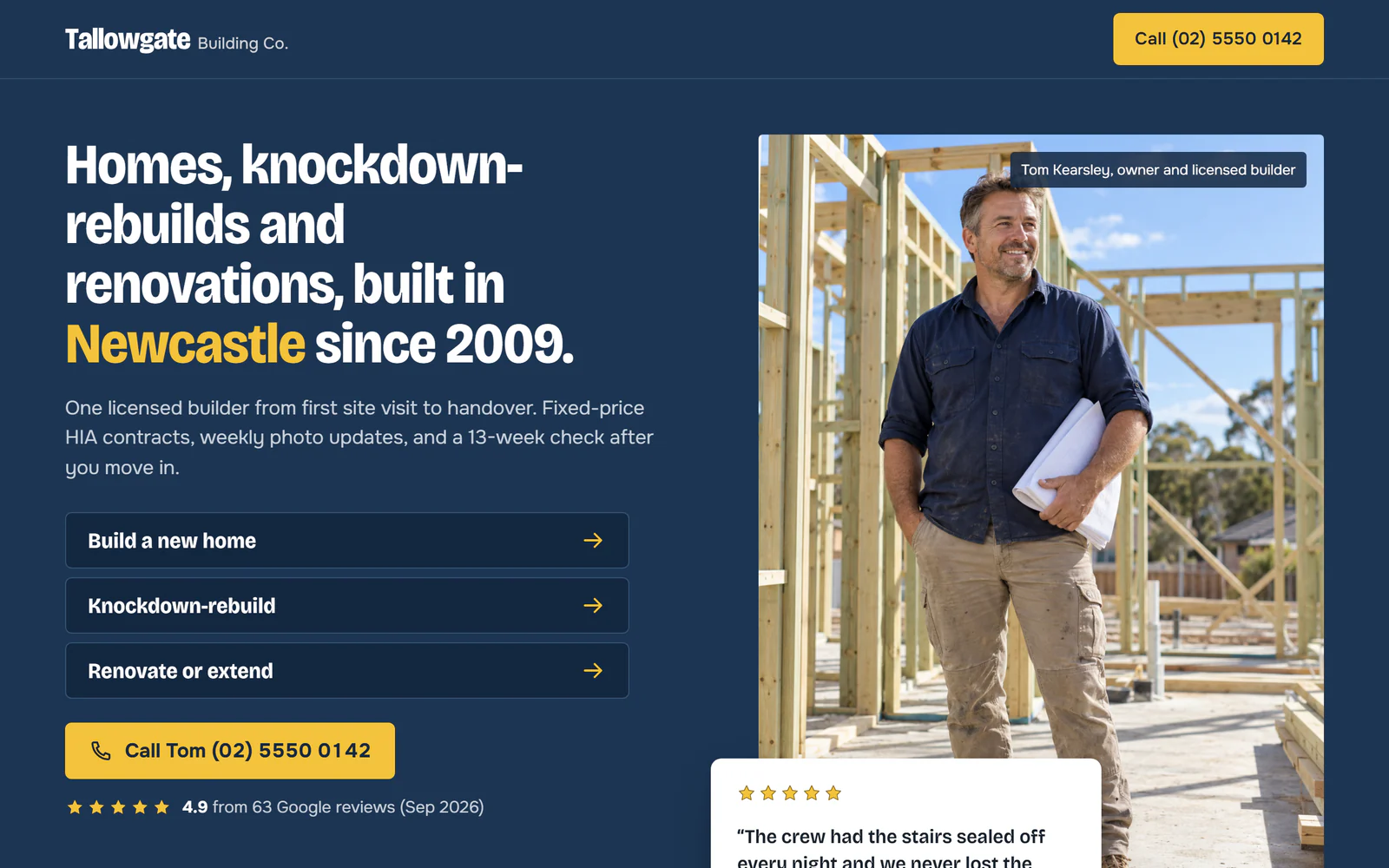
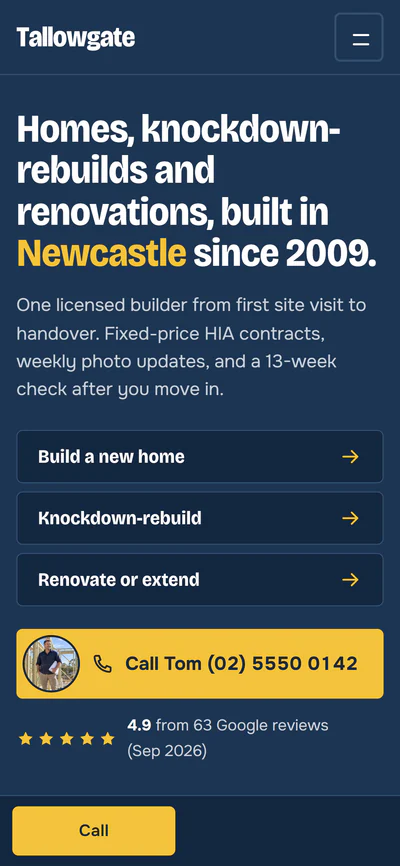
Owner-led example
The builder is in front in this design. A photo of the owner on site, the phone number and a recent review are on the first screen, which suits a business where clients choose the person who will run their build.
Tallowgate's people, jobs, reviews and photos are made up for the example.
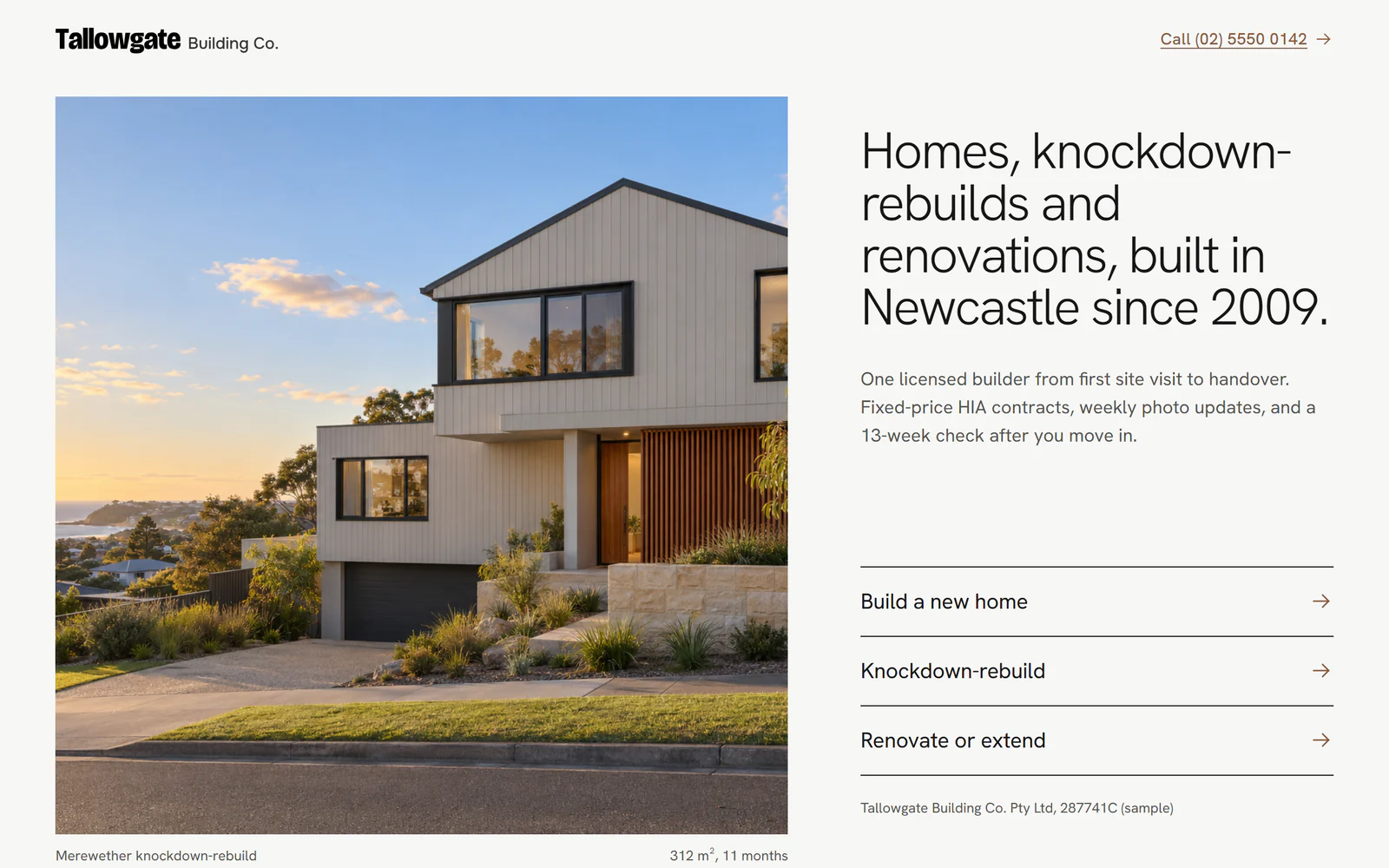
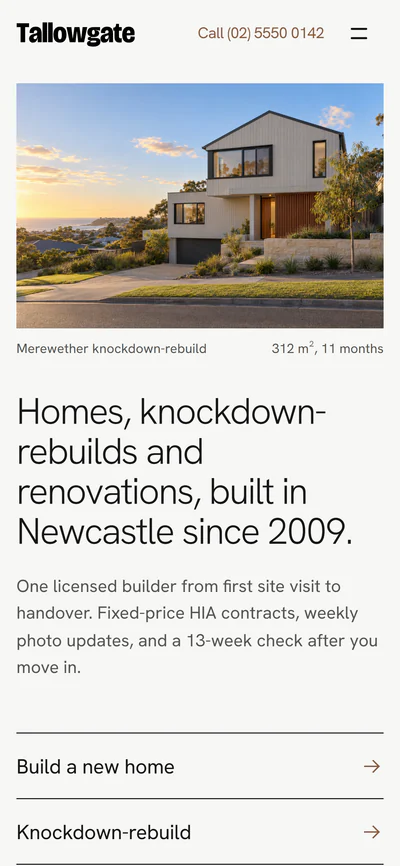
Project-led example
The work comes first in this design. A large photo of a finished home fills the first screen with the job types listed beside it, which suits a builder who wins work on the look of finished homes.
Visitors see the whole page at once, well inside Google's 2.5-second mark.
Sites built on Wix or Squarespace often appear in pieces while their software loads. People on a phone give up and go back to Google. We build each page ahead of time, so it appears in one go on a phone.
0.0s
A typical drag-and-drop site (simulated)
0.0s
This page, built by Cassidium (on a desktop)
The 0.8 seconds is Google's Lighthouse test of a site we built, run on a desktop. Google's phone test slows the connection to match an average mobile. On that test the same site takes 2.3 seconds. Google counts anything under 2.5 seconds as good.
38% of websites still take longer than Google's 2.5-second mark to show their main content on a phone.HTTP Archive, Web Almanac 2025
See how fast your current website loads.
Enter your address. Google's PageSpeed test opens your site on a mid-range phone and times how long it takes to appear, then compares it with a site we built.
Time until your page appears, on a phoneReady
Your site–Enter your address to test it.
A Cassidium site, same phone test–Google slows the connection for this test.
Your PageSpeed score–Google's rating for the same test.
Update your own website, without paying for every change.
Your site comes with its own content editor. Add a finished project with its photos, post a new review, change a price guide or write a new page, then press publish. With many done-for-you sites at this price you can only change the words already there. A new page means asking the provider and waiting.
Your website
Merewether knockdown-rebuild
312 m², 11 monthsCompleted 2023
See the project
Published to your site
What you can change yourself
Add finished projects, with their photos, facts and story
Mark a job as on site, then as completed
Post new reviews and link them to the job
Update price guides and the date they were set
Write new pages and guides, and edit existing ones
Save a draft and preview it before it goes live
See which pages lead to quote requests.
We set up Google Analytics to track what matters to a builder: calls from the call button, clicks on quote buttons and completed quote forms. You see which pages lead to enquiries. Your website report sums up the numbers every 3 or 6 months, with what we'd change next.
Where visitors land
The pages people arrive on, and where they came from: Google, an ad, social media or another website.
Calls from the website
Each tap on your call button, and the page it was on.
Quote button clicks
Each click on a quote button, and the page it was on.
Enquiries sent
Every completed quote form, counted by the form it came through. The message itself never goes to analytics.
What people filter projects by
The job types and areas visitors choose when they browse your projects.
Licence checks
How often visitors open your licence on the state register.
If you advertise, we can switch on Google Ads, Meta and Microsoft Ads tracking, so you can see which ads lead to enquiries.
Support from the team that built your site.
When something needs changing, you email your named contact. We reply during Australian business hours. The higher care plan includes changes up to a set number of hours each month. On the standard plan we quote each change before we start. Every 3 or 6 months, depending on your care plan, you also get a report on the enquiries the site brought in and what we'd change next.
The difference is how much of the work is left to you.
With Wix or Squarespace you design, write and maintain the site yourself, in the evenings after a day on site. An agency builds it for a project fee, then leaves the upkeep to you or a retainer. We build it and give you an editor for everyday changes. We keep looking after it with you after launch.
Who does each job with Wix or Squarespace, a traditional agency or Cassidium Websites
Wix or SquarespaceA monthly plan, plus your time
A traditional agencyQuoted per project
Cassidium WebsitesFrom $995, plus a care plan from $89 a month
Designing the site
You, from a general template
The agency
We do, around your business and brand
Writing the words
You
Usually you
We do, from your brief and your past jobs
Project pages
You build and caption each one
Set up at launch, then up to you
We set them up from your photos
Adding new jobs and pages
You, in the Wix or Squarespace editor
Often a paid change request
You, in your own editor, or ask us
Licence and memberships
Up to you to add and keep current
Often only a number in the footer
Next to every quote button, with a link to the register
The quote form
One you build yourself
Depends on the agency
Three steps: the job, budget and timing, then contact details
Hosting, security and backups
Included in your plan
Often left to you
We do, under your care plan
Seeing where enquiries come from
Visitor numbers; enquiry tracking is up to you
Usually only if you ask for it
Calls, quote clicks and enquiries tracked from launch
Reviewing how the site is working
Nobody, unless you do it
Only if you pay for it
A report every 3 or 6 months, with what we'd change
Page speed
Often slowed by the platform's own code
Depends on the theme and plugins
Loads in one go, fast on phones
What's left with you
Design, words, project pages and reviews
Words, hosting and paying for changes
Your brief, your job photos and the final approval
Choose the closest answer to start the guided questions. You answer a few about your jobs, your area and the pages you need, then see the scope and the full price before you commit.
No. Tallowgate shows the standard of work and the features we can build for a builder. Your site is designed around your logo, colours and photos and written about your business. We set it up with the features that suit how you win work.
Will my licence be shown the way my state requires?
Your licence number, and your licensed name where it differs from your trading name, is shown in the footer and beside the quote buttons, with a link to your state's register. Before launch we check every number on the register with you and set the wording for your state.
How many finished jobs do I need?
Three or four jobs with good photos is enough to launch. You add each new job in the editor as it finishes. A job that is still under way can go up as on site now.
Can I show prices without it reading as a quote?
Yes, if you want to show them at all. A price guide only appears when you switch it on. It always shows the date it was set and a note that the final figure depends on the site, design and selections. Finished jobs can show a price band with the same note.
Do you build sites for commercial builders?
Yes. A site can cover residential work, commercial work or both, with sector pages, a commercial enquiry form and a capability statement for commercial jobs.
How do my Google reviews get onto the site?
We add your reviews at launch, each with the reviewer's name and suburb, where it was posted and when. You add new ones in the editor. Each can link to the job it came from.
Can people send their plans through the website?
Not through the form. The quote form has a note to email plans after your first call, so drawings only reach you once you have spoken.
What does it cost?
Builds start at $995 in Australian dollars, including GST. You see the price for your site from your answers before you commit. After launch, a care plan from $89 a month covers hosting, updates, support and a report on how the site is doing every 3 or 6 months. Monthly prices rise 5% a year.
Do you build websites for businesses outside Australia?
Not at the moment. Cassidium Websites is for businesses based in Australia.
Am I locked into the care plan?
The care plan runs 12 months at a time and renews each year. We remind you 60 days before it does. You can stop at the end of any year at no charge. Leaving partway through a year costs at most 3 months' fees.
Who owns my domain?
You do. If you already have a domain, it stays in your name. If you don't, we register one in your name.
How long does it take?
A standard website goes live about a week after we have your brief, job photos and licence details. A larger website takes about two weeks. The one review before launch is where you ask for changes.
Do I have to write the words?
No. We write every page from your brief, your past jobs and your current site if you have one. You read it in the review and tell us what to change.
Can I get the website code?
Yes. Once the build is paid for, the site and its words are yours. When you leave, we hand over the code and your content at no charge. If you leave at the end of a 12-month term, we also set the site up on your own hosting account for free.
Who do I talk to after launch?
One named contact, who looks after your site and replies during Australian business hours. Depending on your care plan, you also get a report every 3 or 6 months on the enquiries the site brought in and what we'd change next.
Get your builder website priced.
Answer a few plain questions about your business and see the full price before you commit. Once it's paid for, the site and its words are yours.