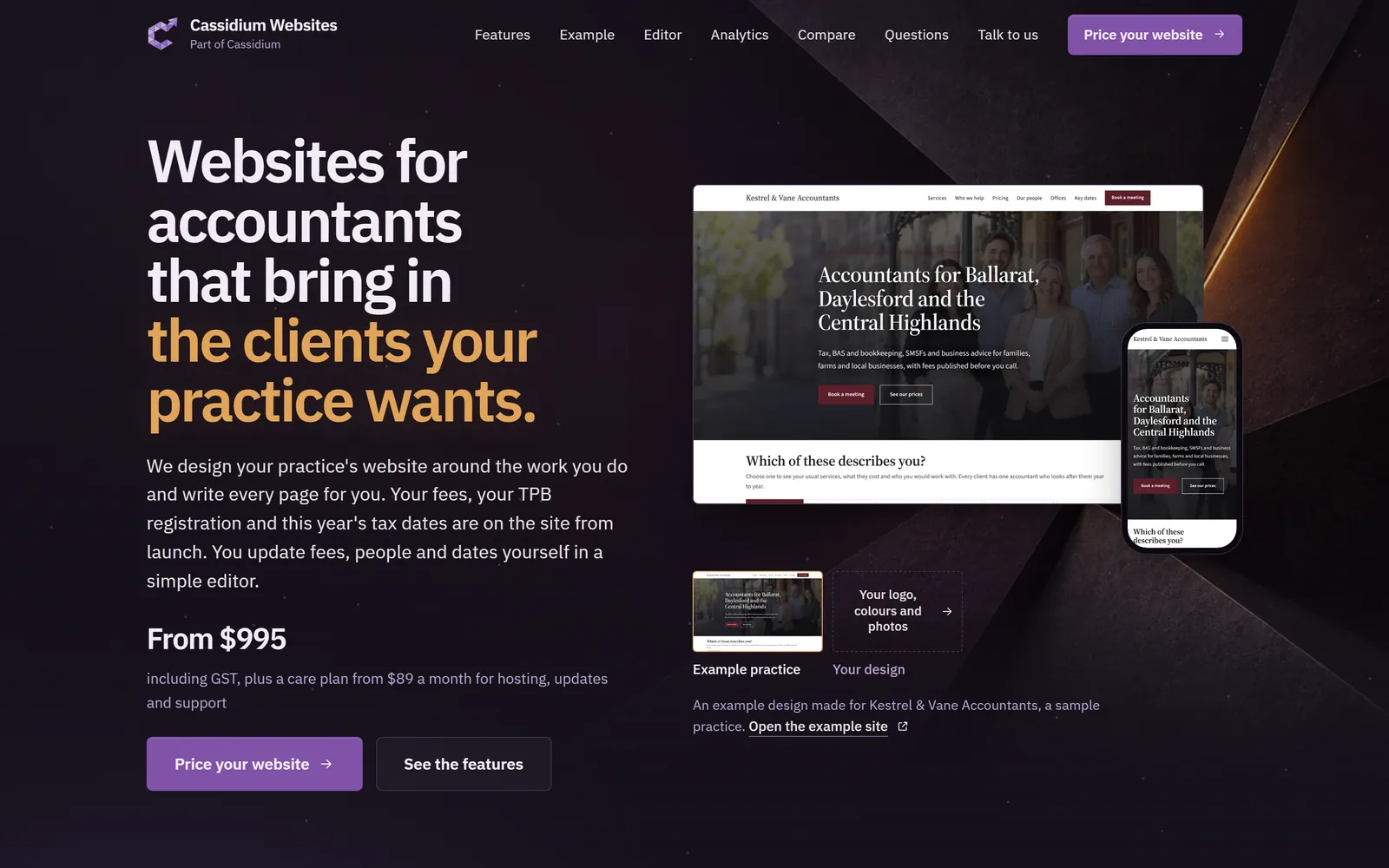
Websites for accountants that bring in the clients your practice wants.
We design your practice's website around the work you do and write every page for you. Your fees, your TPB registration and this year's tax dates are on the site from launch. You update fees, people and dates yourself in a simple editor.
From $995including GST, plus a care plan from $89 a month for hosting, updates and support
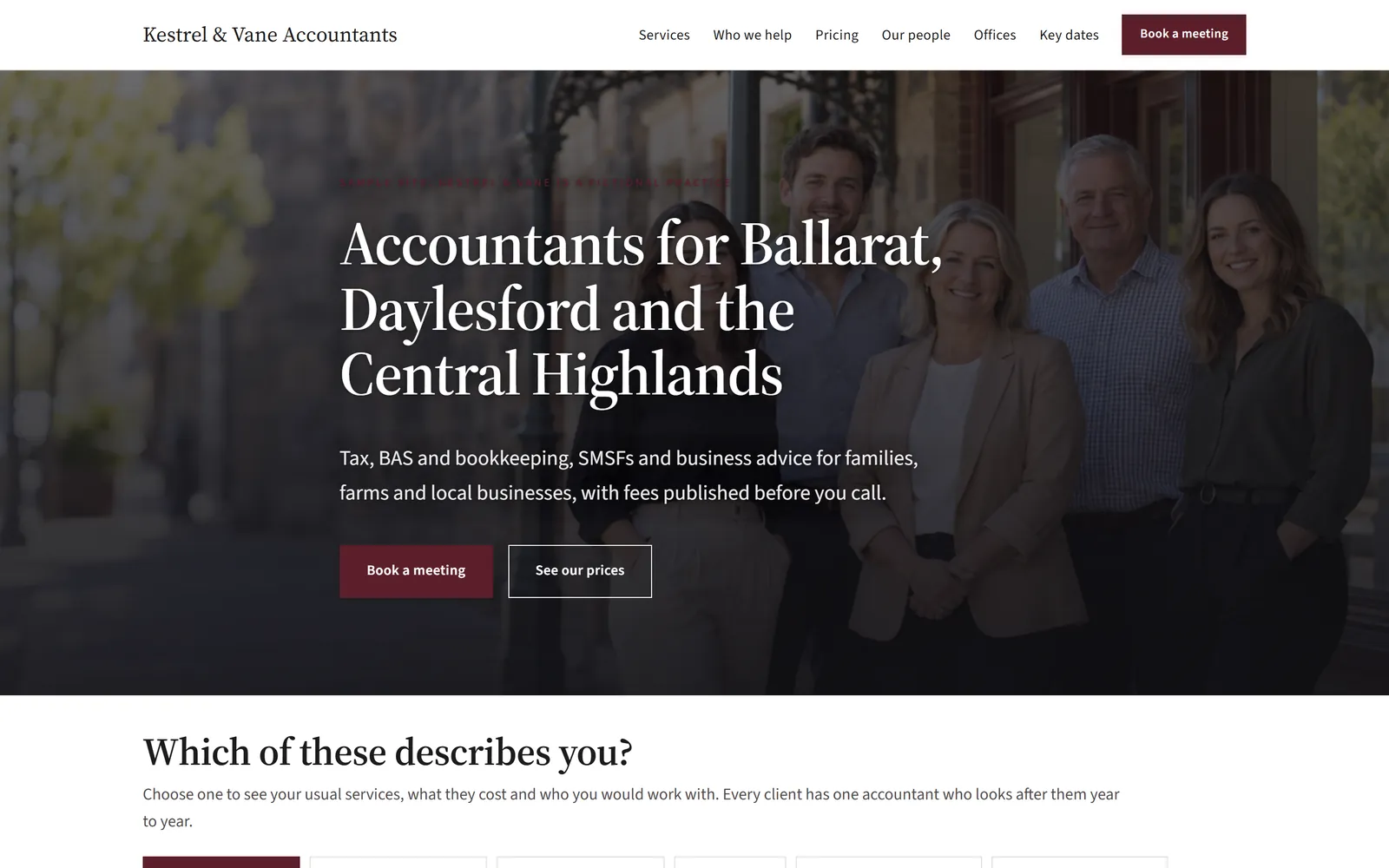
An example design made for Kestrel & Vane Accountants, a sample practice. Open the example site
Prospective clients check your website before they ring you.
They want to know what you charge, who would do their work and whether you are a registered tax agent. When the site doesn't say, the first call is spent on fees, or the call goes to a practice that publishes them. Keeping an old site current yourself means evenings in website software, usually in the middle of tax time.
Most accounting practice websites go live about a week after the first call.
There is one short brief at the start and one review before launch. Send us your fee schedule, your team's details and your registration numbers before we start. We put them on the site before you first see it.
Tell us about your practice
First call
On a short call or through the guided questions, tell us the services you offer and the clients you want more of. Send us your current site if you have one.
We design and write the site
First week
We design it around your logo and colours and write every page. Your services, fees, people and registration details go in at the same time.
You review a working site
Before launch
Click through it on your phone, ask for changes, then approve the launch.
We keep it running
After launch
Your care plan covers hosting, updates, backups and a report on how the site is doing every 3 or 6 months.
What people check before they call an accountant, built into your site.
We pick the pages and sections that suit your practice, then fill them with your own services, fees and people. Each picture shows one on our sample practice site. A page for each service, person and office comes with the larger website.
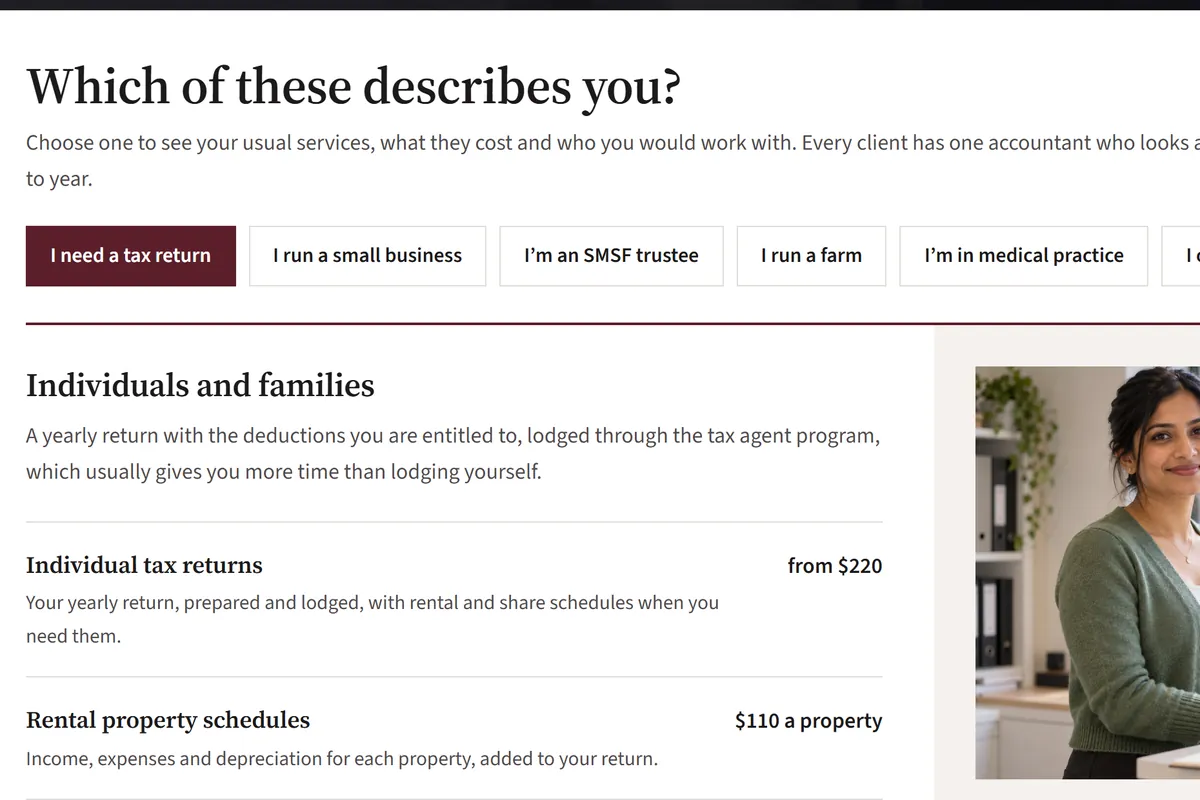
A home page where each visitor finds the services they need
Someone after a tax return and a farm business with staff need different things from you. On the home page they choose which describes them, then see their usual services, what each costs and the person they would work with. Pages for each kind of client are a $795 add-on on the standard website and included in the larger one.
A tab for each kind of client you want, such as SMSF trustees or farms
Their usual services with prices, under each tab
The accountant they would work with, and a button to book a first meeting
A page for each kind of client, with a list of what to bring
Published fees, so nobody has to call to ask what you charge
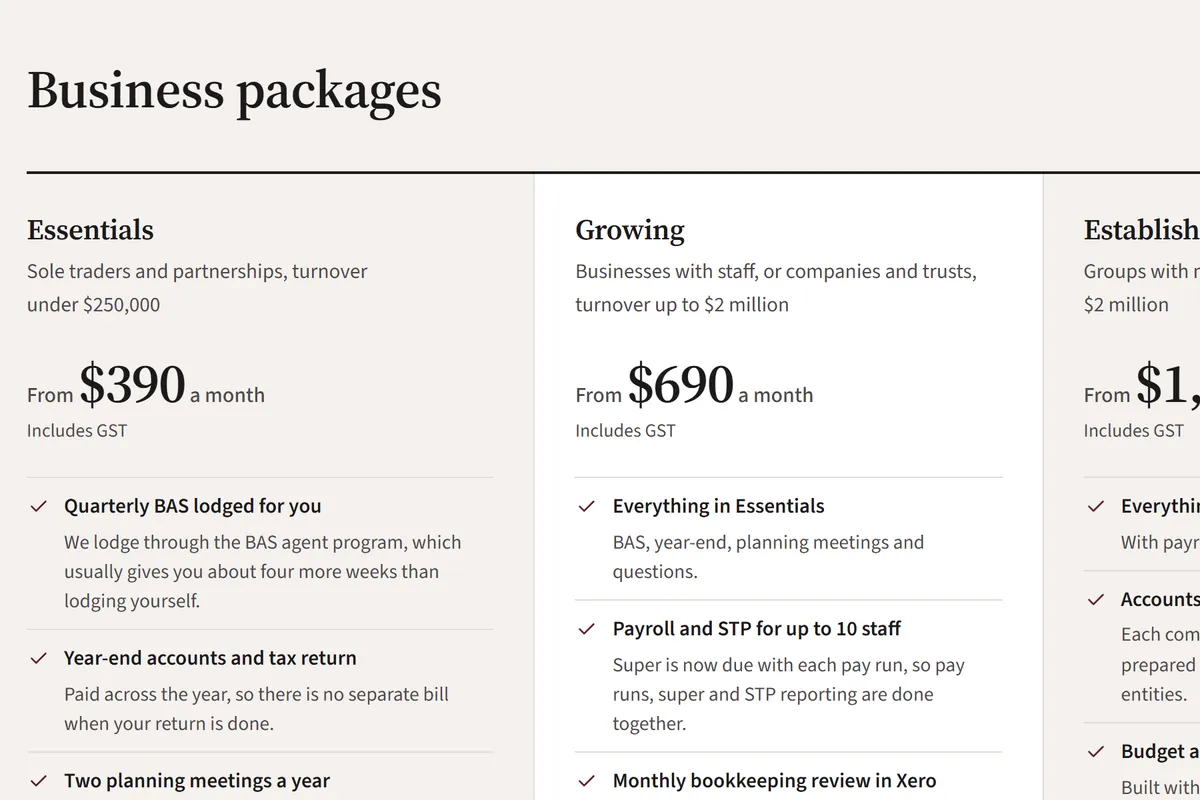
Set out your packages for businesses, individuals and SMSFs, with what each one includes and why it matters to the client. Every price shows whether it includes GST and when you last reviewed it, so the people who call already know roughly what the work costs.
Packages with their inclusions, priced once, monthly, quarterly or yearly
Prices including or excluding GST, stated beside every figure
A "last reviewed" date on every price
Add-ons such as monthly BAS or an extra entity, priced in a table
Full prices, "from" prices, or fees quoted in writing: your choice
A package finder that fills in the enquiry form for them
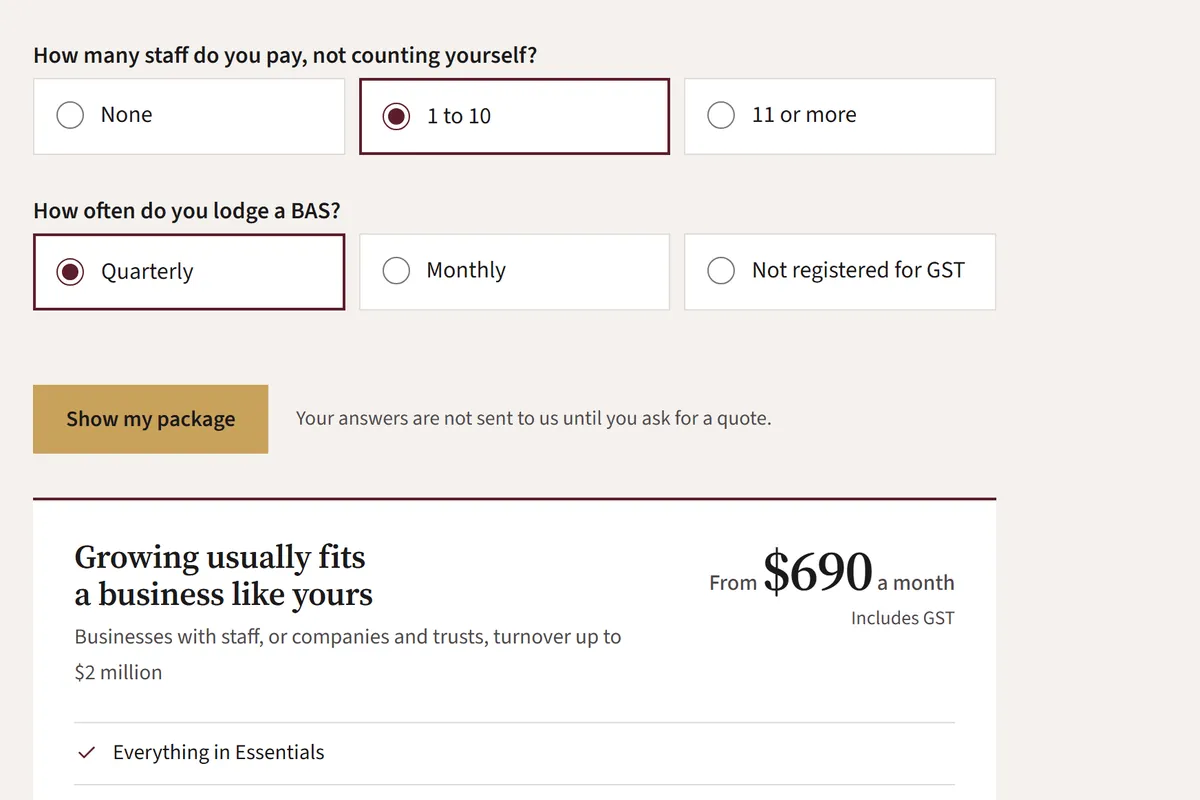
Visitors answer up to five questions you choose, such as how the business is set up, its turnover and how often it lodges a BAS. The finder then shows the package that usually fits. "Get a quote for this" opens your new client form with the package and their answers already in it. You confirm the fee in writing after the first meeting. The package finder is a $395 add-on on the standard website and included in the larger one.
Up to five questions, set up for your packages
The suggested package with its price and main inclusions
Answers stay in the browser until the visitor asks for a quote
A separate finder for individual returns, if you want one
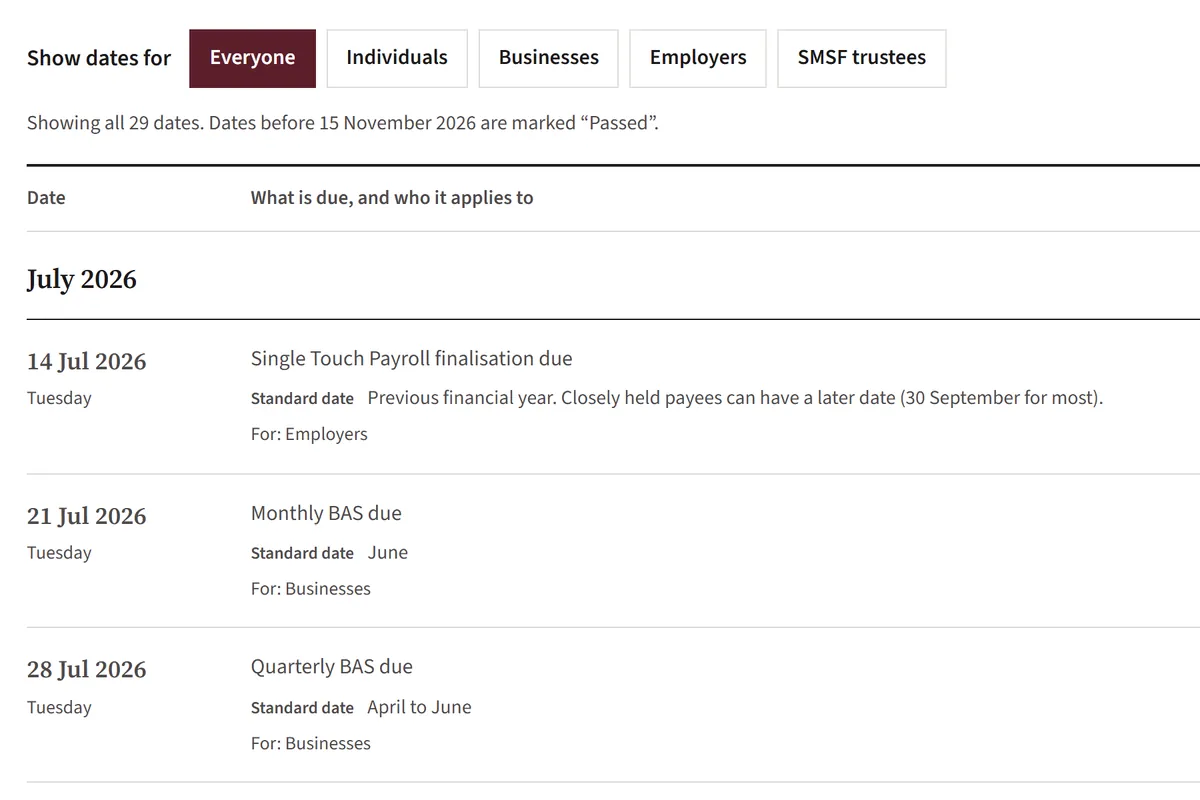
Key tax dates your clients come back to
Your site lists the ATO's lodgment and payment dates for this financial year and the next. Clients can filter the list to the dates that apply to them, while the next three dates also appear on your home page. We load the following year's dates each May or June without touching any date you changed yourself.
Filters for individuals, businesses, employers and SMSF trustees
Your agent lodgment dates, marked "if we lodge for you"
Passed dates marked as passed, and a print-friendly list
Add your own dates, or hide ones your clients don't need
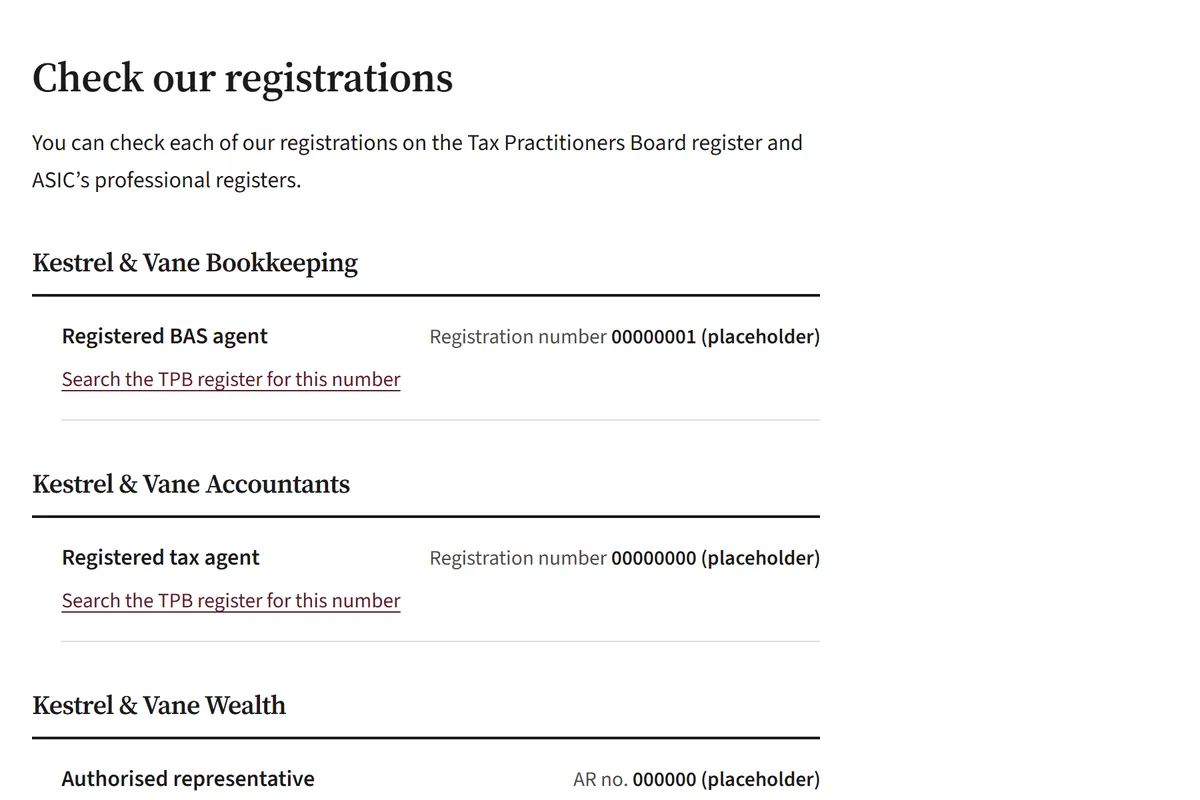
Your TPB registration, where clients can check it
Your registration numbers sit in the footer of every page and on a client information page, each with a link to search the Tax Practitioners Board register. That page also covers how to make a complaint, to you or to the TPB, and what you and your clients each have to do.
Tax agent, BAS agent and ASIC registrations, for each entity in the group
A link to the register beside each number
Your complaints process, with how long you take to respond
Your ABN and Professional Standards scheme line in the footer
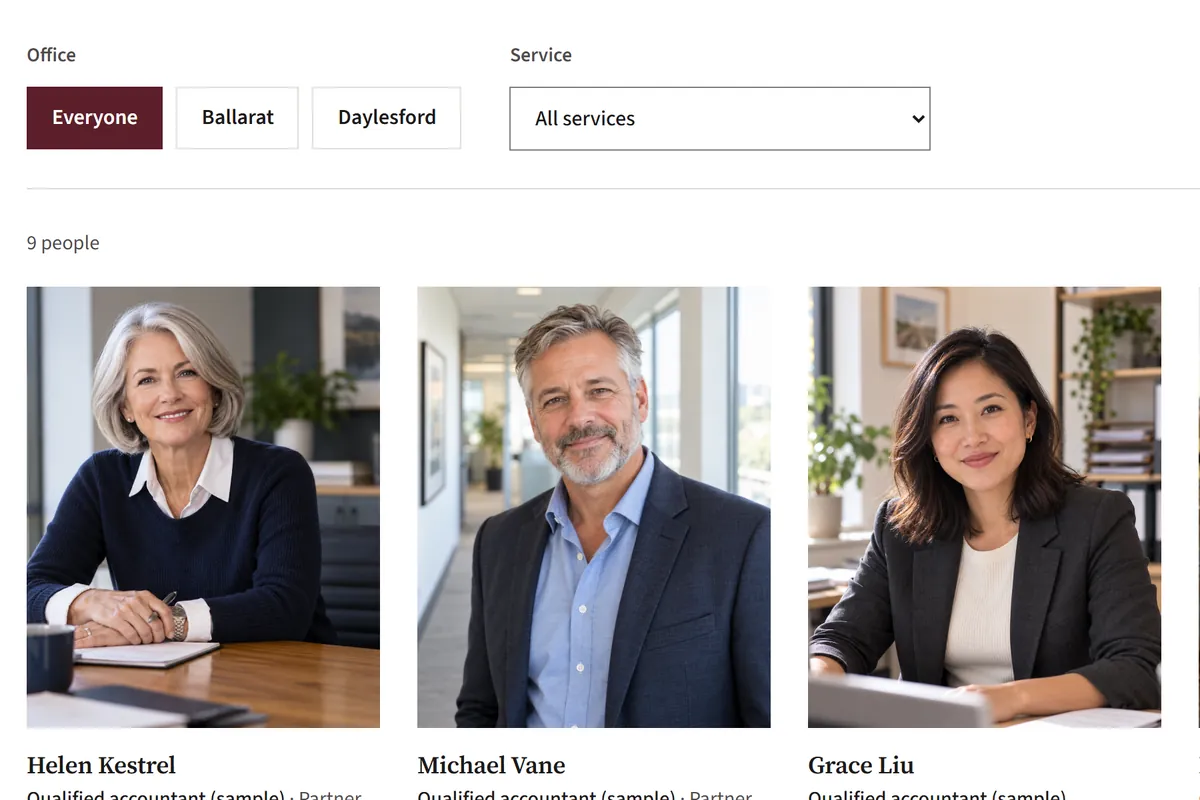
A team page that shows who will do the work
New clients want to know who will do their work. Each person has a photo and their qualifications. On the larger website each person also has a page listing the services they handle, with prices, so a new client can see who they would deal with before the first meeting.
Filters by office and by service
Qualifications such as CA, CPA, IPA, tax agent or SMSF accreditation
A booking button for each person, if you use Microsoft Bookings, Calendly, Acuity, HubSpot or Google
Contact details visitors can save to their phone
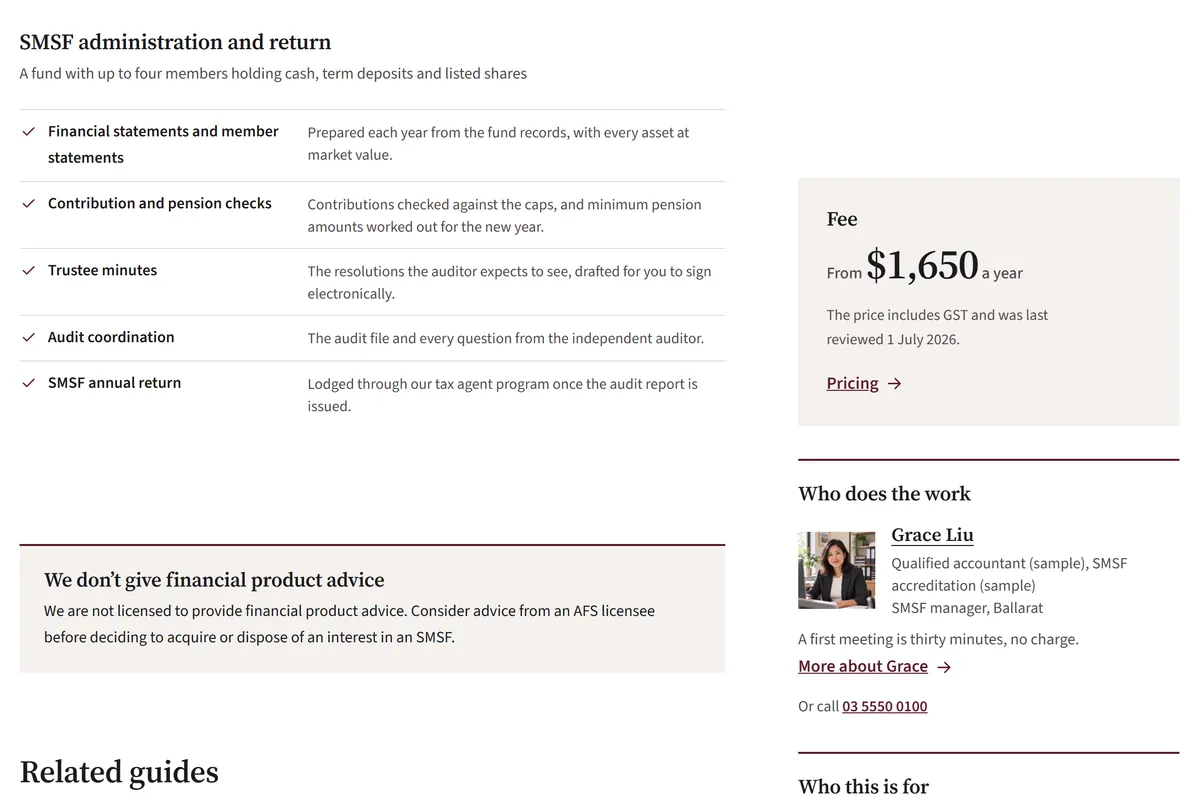
Services with the scope, the fee and who does the work
Each service lists what is included, how the year runs and what it costs, with the person who does the work beside it. Services share one page on the standard website and get a page each on the larger one. SMSF and financial planning pages carry the advice statement that fits your licensing: that you are not licensed to give financial product advice, or your licensee's general advice warning.
What each service includes, line by line
The fee, with its GST basis and review date
Related guides and common questions
Industry pages, such as farming or medical practices, if you have the work to show
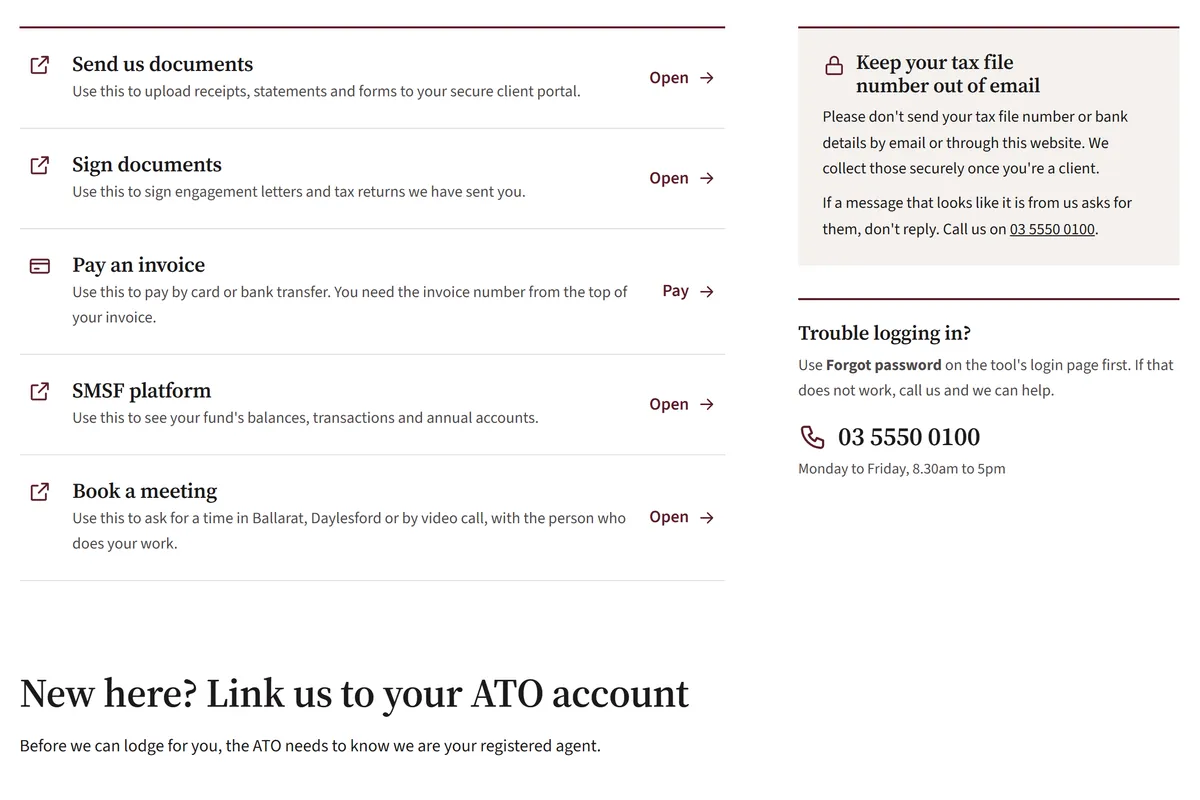
One client login page showing which tool is for what
Clients lose track of which login sends documents and which one signs them. Your client login page lists each tool you already use with a line on what it is for. It also has the steps for a new client to link you to their ATO account. The links open each tool's own login page, so the website itself holds no client accounts.
Links to tools such as Karbon, FYI, XPM, Xero Tax, MYOB and Ignition
Steps for linking you to a client's ATO account
A note asking clients to keep their tax file number out of email
One login link in the header, if you want it there
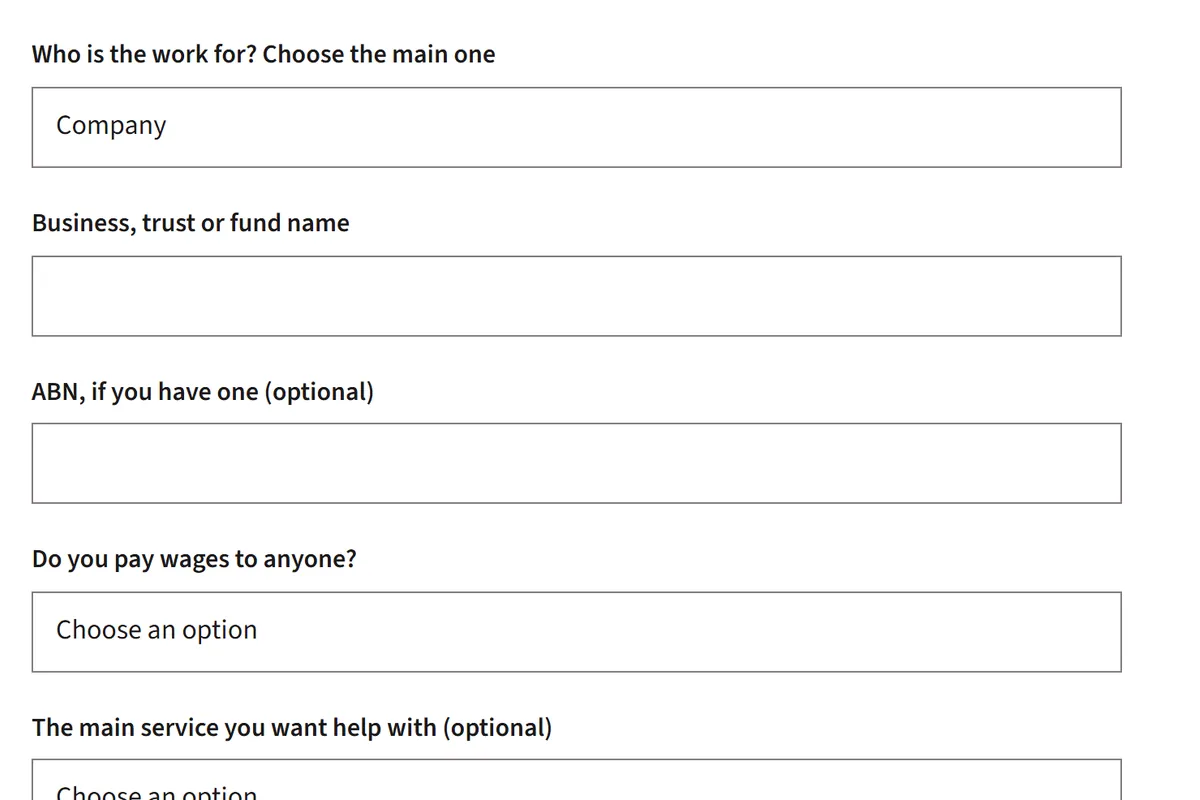
Enquiry forms with the questions you need answered
A family's tax return and a company with staff need different first questions. Your new client form changes as people answer it, so an enquiry reaches your inbox with the entity, the service and the office already filled in. Every form has a note to leave tax file numbers and bank details out.
Questions that change with who the work is for
Forms for new clients, switching accountants, business setup, SMSFs and bookkeeping quotes
An appointment request form, if you don't use a booking tool
A collection notice on every form, linked to your privacy page
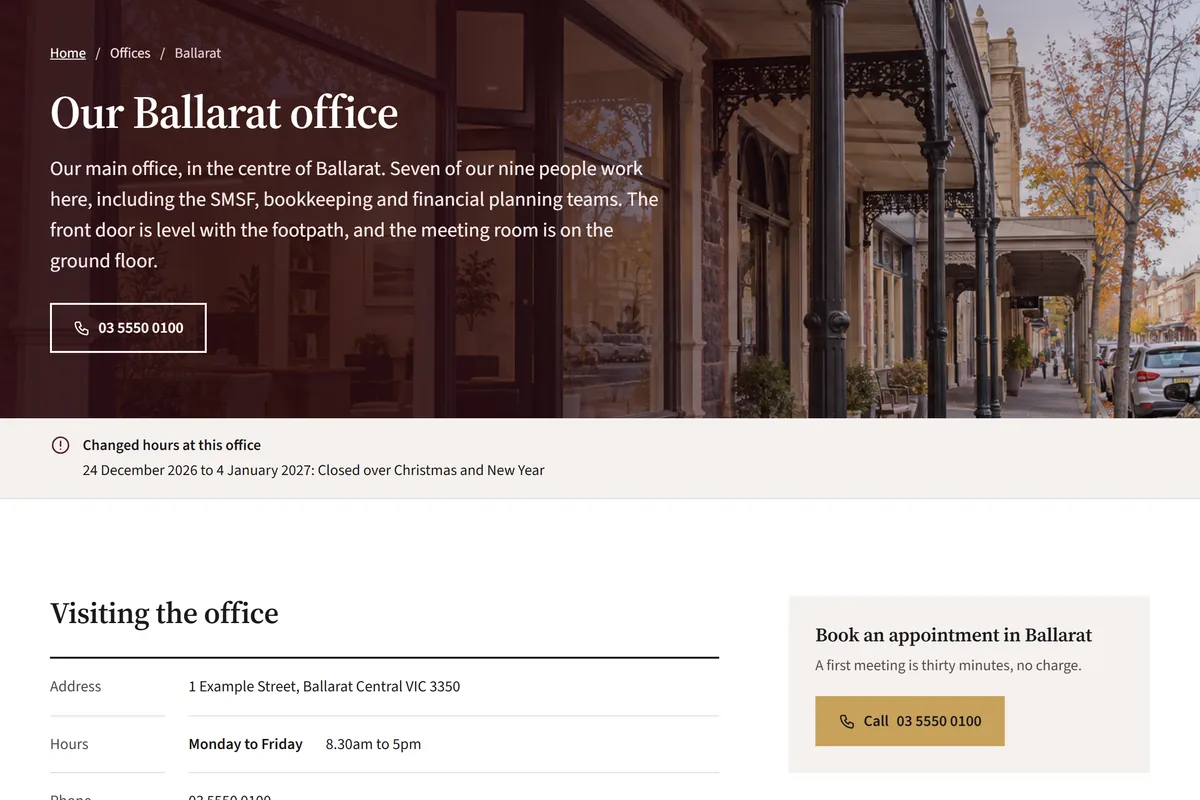
Office pages for local search
People search for an accountant near them. On the larger website each office gets its own page with the address, hours, parking, who works there and the services offered there with prices. The standard website covers one location on the contact page. Every page is set up with the titles and details Google reads.
Holiday closures and changed hours shown at the top
The towns each office looks after
A search title and description for every page, with a preview of how it looks on Google
Hidden details for Google about your practice, offices and people
Other pages you can add when the practice needs them
Each one is set up with your own details.
Guides and checklists, such as what to bring to a tax appointment
A guide to switching accountants, with how long it takes
A careers page for your current vacancies
Client testimonials, shown only once you have recorded the client's consent
Memberships, software partners and awards
A privacy page and a contact page with your hours
An example design, to show the standard of work.
We made up Kestrel & Vane Accountants to show what a Cassidium accounting practice website looks like. Yours gets its own design, built around your logo, colours, photos and the work you do.
Example practice
This design is for a two-office practice that works with families, farms and local businesses. The team photo and the booking button are on the first screen, with the fees and the next tax dates a short scroll below.
Visitors see the whole page at once, well inside Google's 2.5-second mark.
Sites built on Wix or Squarespace often appear in pieces while their software loads. People on a phone give up and go back to Google. We build each page ahead of time, so it appears in one go on a phone.
0.0s
A typical drag-and-drop site (simulated)
0.0s
This page, built by Cassidium (on a desktop)
The 0.8 seconds is Google's Lighthouse test of a site we built, run on a desktop. Google's phone test slows the connection to match an average mobile. On that test the same site takes 2.3 seconds. Google counts anything under 2.5 seconds as good.
38% of websites still take longer than Google's 2.5-second mark to show their main content on a phone.HTTP Archive, Web Almanac 2025
See how fast your current website loads.
Enter your address. Google's PageSpeed test opens your site on a mid-range phone and times how long it takes to appear, then compares it with a site we built.
Time until your page appears, on a phoneReady
Your site–Enter your address to test it.
A Cassidium site, same phone test–Google slows the connection for this test.
Your PageSpeed score–Google's rating for the same test.
Update your own website, without paying for every change.
Your site comes with its own content editor. Change a fee and the date you reviewed it, add a new team member, add a date to the key dates list or write a new guide, then press publish. With many done-for-you sites at this price you can only change the words already there. A new page means asking the provider and waiting.
Your website
Essentials
Sole traders and partnerships, turnover under $250,000
From $390 a month
Includes GST
Quarterly BAS lodged for you
Year-end accounts and tax return
Prices last reviewed 1 July 2026
Find my package
Published to your site
What you can change yourself
Update fees, packages and the date you last reviewed them
Add people, with their photo, qualifications and services
Add your own key dates, or hide ones that don't apply
Change office hours and add holiday closures
Write new guides and pages, and edit existing ones
Save a draft and preview it before it goes live
See which pages lead to new clients.
We set up Google Analytics to track what matters to a practice: calls from the call button, clicks on booking buttons and every enquiry by the form it came through. You see which pages lead to new clients. Your website report sums up the numbers every 3 or 6 months, with what we'd change next.
Where visitors land
The pages people arrive on, and where they came from: Google, an ad, social media or another website.
Calls from the website
Each tap on your call button, and the page it was on.
Booking clicks
Each click on a booking button, and the page or person it was on.
Enquiries sent
Every completed form, by type: new client, switching accountants, SMSF and the rest. What people type never goes to analytics.
Which kinds of client visit
With pages for each kind of client, the one visitors choose on your home page, such as sole trader or SMSF trustee.
Package finder results
With the package finder, the package it suggested to each visitor who finished it.
If you advertise, we can switch on Google Ads, Meta and Microsoft Ads tracking, so you can see which ads lead to enquiries.
Support from the team that built your site.
When something needs changing, you email your named contact. We reply during Australian business hours. The higher care plan includes changes up to a set number of hours each month. On the standard plan we quote each change before we start. Every 3 or 6 months, depending on your care plan, you also get a report on the enquiries the site brought in and what we'd change next.
The difference is how much of the work is left to you.
With Wix or Squarespace you design, write and maintain the site yourself, in the evenings after a day with clients. An agency builds it for a project fee, then leaves the upkeep to you or a retainer. We build it and give you an editor for everyday changes. We keep looking after it with you after launch.
Who does each job with Wix or Squarespace, a traditional agency or Cassidium Websites
Wix or SquarespaceA monthly plan, plus your time
A traditional agencyQuoted per project
Cassidium WebsitesFrom $995, plus a care plan from $89 a month
Designing the site
You, from a general template
The agency
We do, around your practice and brand
Writing the words
You
Usually you
We do, from your brief and your fee schedule
Fees and packages
A pricing table you build yourself
Set up at launch, then up to you
Fee cards with the GST basis and a review date
Updating fees, people and guides
You, in the Wix or Squarespace editor
Often a paid change request
You, in your own editor, or ask us
TPB registration
Up to you to add and keep current
Often only a number in the footer
In the footer and on a client information page, linked to the register
Key tax dates
A list you retype each year
Usually a link to the ATO
This year's and next year's dates, loaded each year
Enquiry forms
One you build yourself
Depends on the agency
New client, switching and SMSF forms, with questions that change as people answer
Hosting, security and backups
Included in your plan
Often left to you
We do, under your care plan
Seeing where enquiries come from
Visitor numbers; enquiry tracking is up to you
Usually only if you ask for it
Calls, bookings and enquiries tracked from launch
Reviewing how the site is working
Nobody, unless you do it
Only if you pay for it
A report every 3 or 6 months, with what we'd change
Page speed
Often slowed by the platform's own code
Depends on the theme and plugins
Loads in one go, fast on phones
What's left with you
Design, words, fees and keeping dates current
Words, hosting and paying for changes
Your brief, your fee schedule and the final approval
Choose the closest answer to start the guided questions. You answer a few about your services, your offices and the pages you need, then see the scope and the full price before you commit.
Websites start at $995, plus a care plan from $89 a month, both including GST. Every accounting practice website includes:
A design made around your practice and brand
Every page written from your brief
Your services and fees, with their GST basis
Your registrations in the footer and on a client information page
Key tax dates for this financial year and the next
A new client form sent to your inbox
Google Analytics, with calls and enquiries tracked
Your own content editor, a secure (https) connection and automatic backups
Pages for each kind of client ($795) and the package finder ($395) are add-ons on the standard website. Both are included in the larger website, from $2,995.
No. Kestrel & Vane shows the standard of work and the features we can build for a practice. Your site is designed around your logo, colours and photos and written about your practice. We set it up with the features that suit the clients you work with.
How is our TPB registration shown?
Your registration numbers go in the footer of every page and on a client information page, each with a link to search the TPB register. That page also covers how to make a complaint and what you and your clients each have to do. Before launch we check every number on the register with you.
Do we have to publish our fees?
No. You can show full prices, "from" prices, packages without prices, or a note that fees are quoted in writing. Any price you do show states whether it includes GST and when you last reviewed it.
Is the package finder a fee calculator?
No. Visitors answer up to five questions you choose and see the package that usually fits, with its published price. The enquiry form then opens with their answers filled in. You still confirm the fee in writing.
Who keeps the key dates up to date?
We do. The list starts with the ATO's dates for this financial year and the next. Each May or June we load the following year's dates. If you change or add a date yourself, our yearly update leaves it as you set it.
Can clients upload documents or log in through the website?
Not to the website itself. Your client login page links to the tools you already use, such as Karbon, FYI, XPM or Ignition, with a line on what each one is for. Every form has a note to leave tax file numbers and bank details out.
We have an SMSF or financial planning arm. Can the site cover it?
Yes. Each entity's registration or AFSL details show in the footer and on the client information page. SMSF and planning pages carry the statement that fits your licensing: that you are not licensed to give financial product advice, or your licensee's general advice warning with a link to your Financial Services Guide.
Can clients book a meeting online?
Yes, if you use Microsoft Bookings, Calendly, Acuity, HubSpot Meetings or Google Calendar appointment schedules. The booking page opens on your site when a visitor clicks to book. Without one, an appointment request form sends the times that suit them to your inbox.
What does it cost?
Builds start at $995 in Australian dollars, including GST. You see the price for your site from your answers before you commit. After launch, a care plan from $89 a month covers hosting, updates, support and a report on how the site is doing every 3 or 6 months. Monthly prices rise 5% a year.
Do you build websites for businesses outside Australia?
Not at the moment. Cassidium Websites is for businesses based in Australia.
Am I locked into the care plan?
The care plan runs 12 months at a time and renews each year. We remind you 60 days before it does. You can stop at the end of any year at no charge. Leaving partway through a year costs at most 3 months' fees.
Who owns my domain?
You do. If you already have a domain, it stays in your name. If you don't, we register one in your name.
How long does it take?
A standard website goes live about a week after we have your brief, fee schedule and registration details. A larger website takes about two weeks. The one review before launch is where you ask for changes.
Do I have to write the words?
No. We write every page from your brief, your fee schedule and your current site if you have one. You read it in the review and tell us what to change.
Can I get the website code?
Yes. Once the build is paid for, the site and its words are yours. When you leave, we hand over the code and your content at no charge. If you leave at the end of a 12-month term, we also set the site up on your own hosting account for free.
Who do I talk to after launch?
One named contact, who looks after your site and replies during Australian business hours. Depending on your care plan, you also get a report every 3 or 6 months on the enquiries the site brought in and what we'd change next.
Get your accounting practice website priced.
Answer a few plain questions about your practice and see the full price before you commit. Once it's paid for, the site and its words are yours.